Microsoft Copilot
Microsoft Corporation
About this App
Microsoft Copilot transforms your Android device into a powerful AI workspace, delivering intelligent assistance for every aspect of your digital life. This comprehensive productivity app harnesses Microsoft's advanced artificial intelligence to help you tackle work projects, creative endeavors, and daily tasks with unprecedented efficiency. Whether you're drafting professional emails, generating stunning visual content, or seeking answers to complex questions, Copilot adapts to your unique needs and working style.
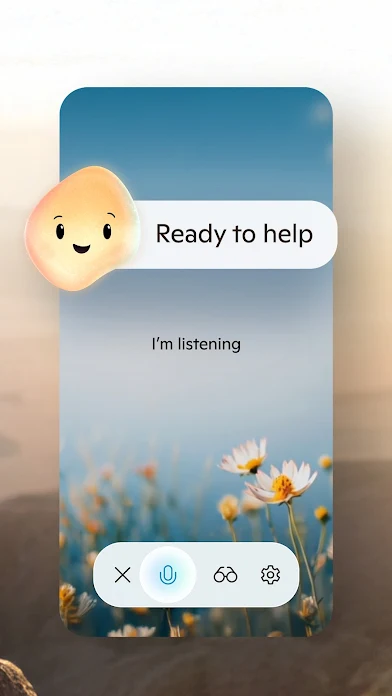
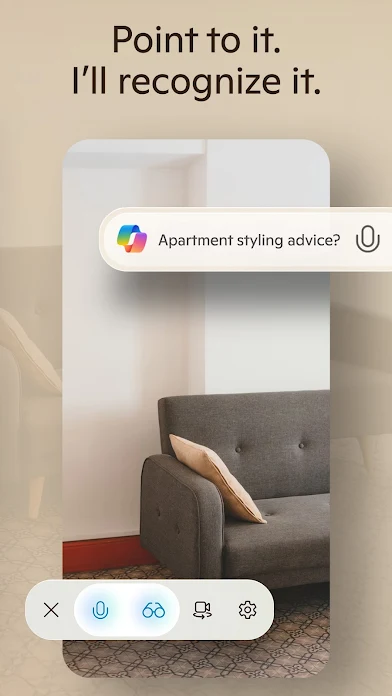
The app introduces Mico, an innovative visual AI assistant that brings personality and engagement to your interactions through live expressions and intuitive responses. Beyond traditional chatbot functionality, Copilot offers robust features including AI-powered image generation, visual analysis tools, and smart learning capabilities with flashcards, quiz modes, and personalized educational content. Voice chat support enables completely hands-free operation, while the Vision feature allows you to analyze and understand images instantly.
Students, professionals, and creative individuals will find Microsoft Copilot APK particularly valuable for its versatility across different use cases. The app excels at generating professional documents, creating social media content, translating text in multiple languages, and providing educational support tailored to individual learning paces. From meal planning and travel itineraries to resume writing and presentation creation, Copilot streamlines complex tasks into simple conversations.
Download Microsoft Copilot for Android to experience AI assistance that genuinely enhances productivity and creativity. The Microsoft Copilot APK delivers cutting-edge technology in an accessible format, making advanced AI tools available whenever and wherever you need them. With its intuitive interface and comprehensive feature set, this app represents the future of personal AI assistance on mobile devices.
Microsoft Copilot FAQ
Screenshots


User Reviews
No reviews yet — be the first!